MEASURE THE SPEED OF SOUND IN A SOLID | A HANDS-ON TIME OF FLIGHT PHYSICS EXPERIMENT
Published: Mar-2026 | Category: Fun With Science
Explore wave propagation in solids using real-time data logging
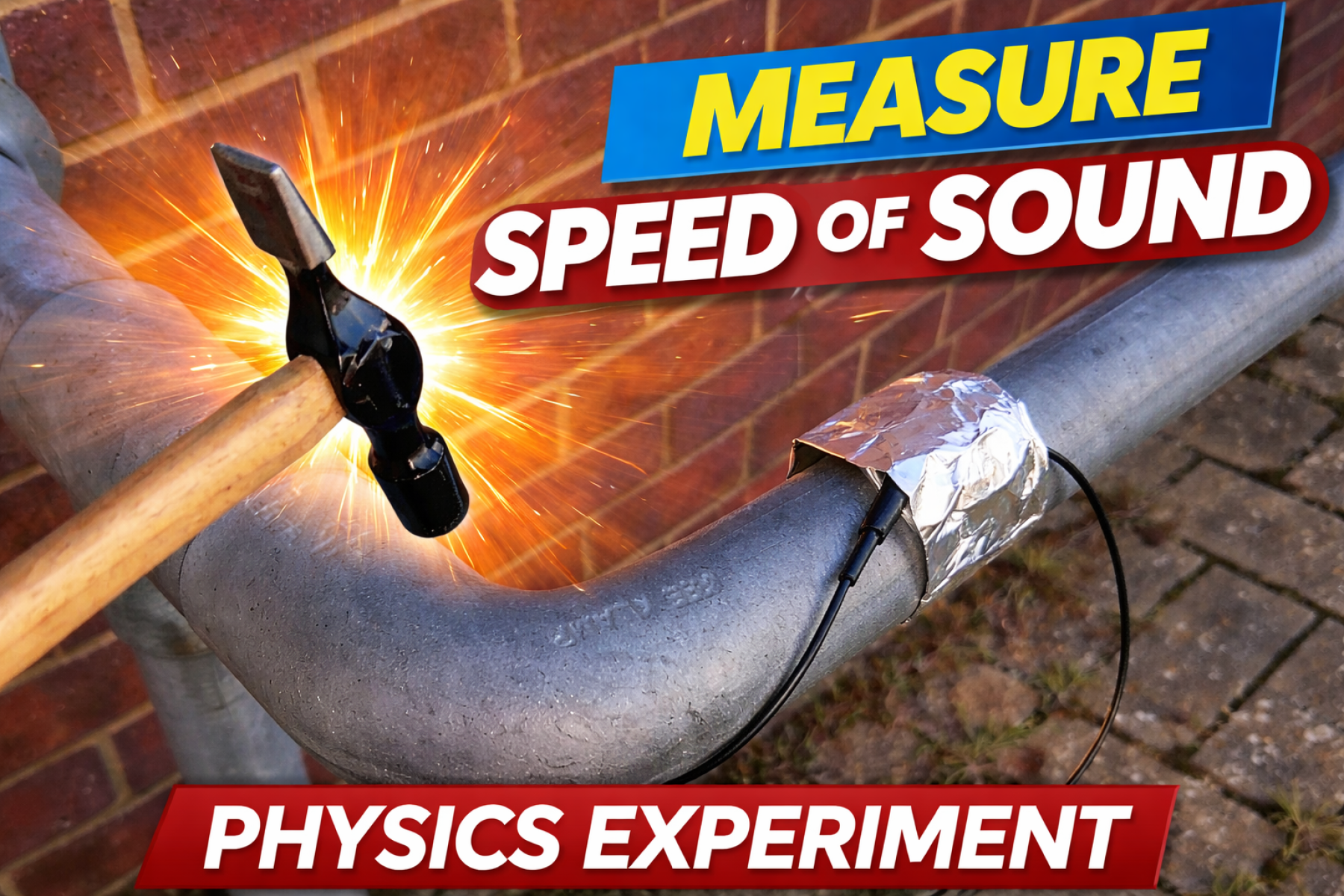
Sound does not just travel through air — it can also move incredibly quickly through solids. In fact, the speed of sound depends on the material it travels through, making this a brilliant investigation for exploring wave motion, particle behaviour, and material properties.
In this practical, students use the Wireless Speed of Sound Sensor Pack and the time of flight method to measure how fast sound travels through a metal section. By recording the delay between two microphones, learners can calculate wave speed, compare their results with published values, and think critically about accuracy and experimental design.
What’s the aim?
To measure the speed of sound in a solid and investigate how sound travels through a metal medium using time of flight data.
A metal section longer than 4 m, such as a fence or stair rail
Two clamps for holding the microphones
Measurement tape
4 mm jack plug extension if required
EasySense software
A small hammer
How does it work?
When the metal is tapped, a sound disturbance travels along it. Two microphones detect the sound at different points, and the time delay between them is used to calculate the speed of sound.
speed = distance travelled / time taken
This is known as the time of flight method, and it is a simple but powerful way to measure fast-moving waves in a solid.
Method
Attach the two microphones to a long metal section and remove the outer diaphragms.
Connect the microphones to EasySense.
Select two microphones, metal, speed, and time in Devices.
Set the collection mode to Continuous.
Use a short interval and trigger from Microphone A.
Press Start when ready.
Gently tap the metal near Microphone A with a hammer.
Record the time taken for the sound to reach the second microphone.
Measure the distance between the microphones.
Calculate the speed of sound.
Repeat the readings several times so students can calculate an average and standard deviation.
Suggested EasySense setup
Continuous
Interval: 50 microseconds
Start: Value Rises Above
Trigger channel: Microphone A
Trigger value: around 10 mV
Pre-trigger time: 1 ms
Stop: After duration
Duration: 5 ms
Samples: 101
What do students discover?
Students discover that sound travels much faster in solids than in air, and that the measured value depends on the properties of the material. For steel, the speed of sound is around 5800 m s-1.
This opens up discussion about why materials differ, how particle spacing affects transmission, and why sound speed changes between gases, liquids, and solids.
Discussion points
Does your calculated value agree with published data?
Why is sound faster in solids than in gases?
What factors might reduce the accuracy of the result?
Why is it useful to repeat the experiment several times?
How does microphone spacing affect the measurement?
Improve the investigation
Use a longer metal section to make the time delay easier to measure
Experiment with trigger levels to improve detection
Use a smaller hammer for a cleaner signal
Repeat more trials and calculate a standard deviation
Try changing the separation between the microphones and compare the results
Safety first
Take care when using the hammer
Make sure the metal section is secure before testing
Keep hands clear of the impact area
Ensure cables and clamps are fixed safely before recording
Using the Wireless Speed of Sound Sensor Pack with EasySense makes it easy to capture fast events and turn abstract wave concepts into visible, measurable data. It is a strong practical for teaching wave motion, data analysis, and experimental physics in a hands-on way.